
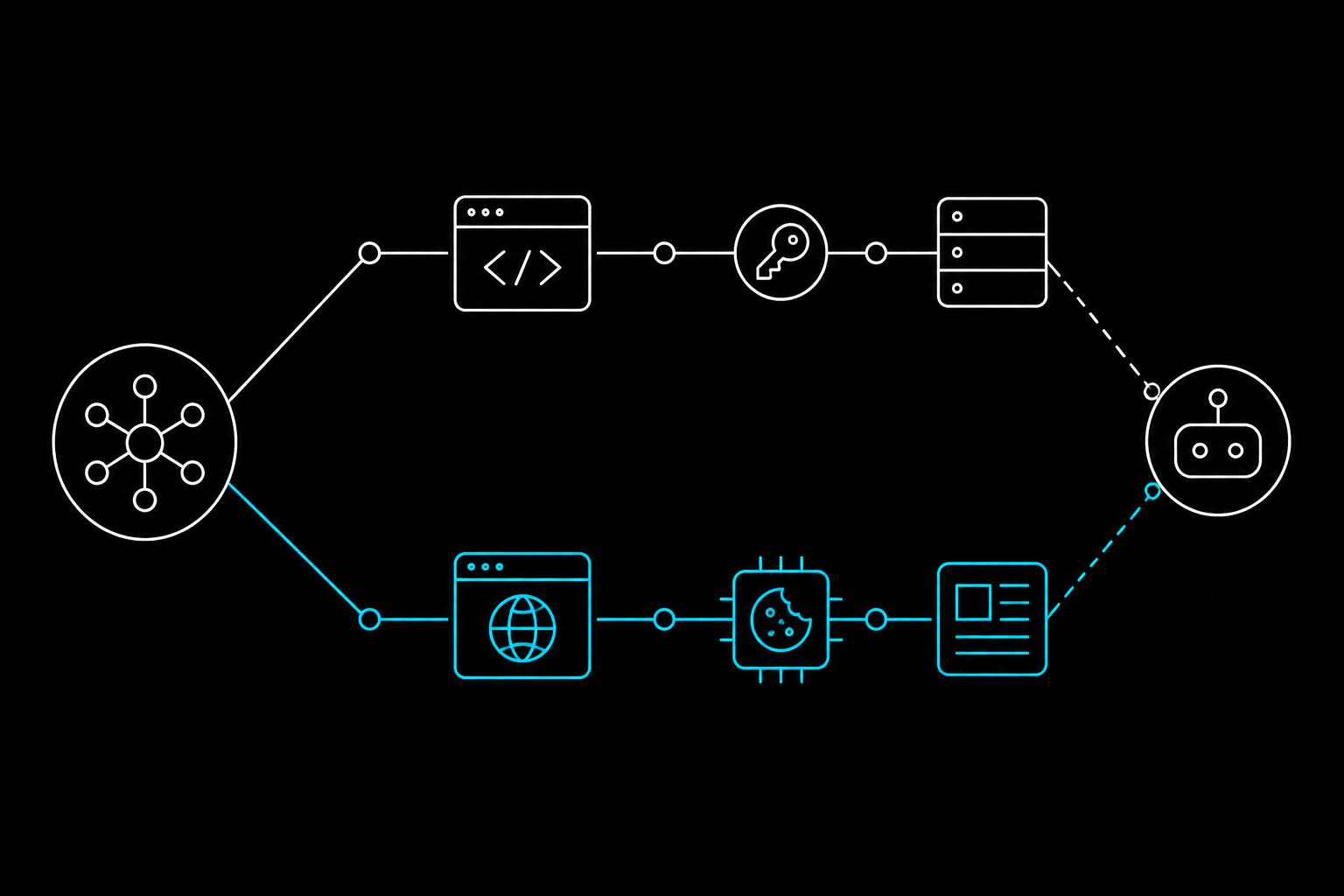
If your agent only reads from X, you probably do not need the official MCP at all. A logged-in browser session does the same read work with none of the developer-app setup. If your agent posts, bookmarks, or writes, the official OAuth path earns its keep. That split is the whole decision, and most guides skip it.
X shipped its official MCP server on June 30, 2026, hosted at api.x.com/mcp (X Developers announcement). It is a real, supported way to wire an agent into the X API. It is also more setup than a read-only job needs. Here is how both paths actually work, and which one fits your agent.
TL;DR
- The official X MCP is an OAuth app. You register a developer app, enable OAuth 2.0, and run a local bridge (
xurl) that holds the app identity and refreshes tokens. - Read-only needs less than you think. An app-only bearer token is one header. Full OAuth is only required for writes and user-scoped reads like your own bookmarks.
- Session reuse skips registration entirely. Point a tool at a browser profile you log into once, and reads work with no client secret, no redirect URI, no portal.
- Writes are where the official path wins. They hit stricter rate limits and bill against your X API plan either way, so an official, auditable connector is worth it.
- It is not free. The MCP inherits X API pricing; every call spends real pay-per-use credit (docs.x.com/tools/mcp).
- Pick by workload: reads and single-user tasks favor session reuse; writes, multi-user, and audited access favor the official MCP.
How does the official X MCP work?
The official X MCP is a hosted endpoint your agent talks to through a small local bridge. X runs the server at api.x.com/mcp over Streamable HTTP. Your MCP client (Claude Desktop, Cursor, Grok, VS Code) does not hit that URL directly for user actions. It goes through xurl, the open-source CLI X maintains.
Here is the chain, start to finish:
- Create an X developer app in the X Developer Portal.
- Enable OAuth 2.0 on that app.
- Copy the client ID and client secret.
- Register a redirect URI (the default is
http://localhost:8080/callback). - Run the
xurlbridge, which handles the login and token refresh.
On first run with no cached token, xurl opens a browser for a one-time OAuth2 login, then caches and auto-refreshes the token from then on (xurl README). After that first login, it is hands-off. The design is clean.
The friction is not the OAuth flow. It is the five things that all have to line up before the first call fires. Miss the redirect URI and the callback fails. Skip an enrollment step and the API rejects you with a client error that sends you back into the portal. None of the steps are hard alone. Together they are a solid chunk of an afternoon.
// A typical MCP client config for the official path
{
  "mcpServers": {
    "xapi": {
      "command": "npx",
      "args": ["-y", "@xdevplatform/xurl", "mcp", "https://api.x.com/mcp"],
      "env": {
        "CLIENT_ID": "YOUR_X_APP_CLIENT_ID",
        "CLIENT_SECRET": "YOUR_X_APP_CLIENT_SECRET"
      }
    }
  }
}
Do you need OAuth, or is a bearer token enough?
Both work, for different jobs. An app-only bearer token gives you read-only access with no user context. You paste it into an Authorization header and you are done. No browser login, no PKCE dance.
The catch is what "no user context" rules out. Anything scoped to you needs the full OAuth 2.0 path: posting, bookmarking, publishing an Article, or reading your own bookmarks and timeline. So if your agent wants to manage your bookmarks, the one-header shortcut does not cover it. You are back to the developer app.
That is the honest boundary. Public reads are cheap to wire up. Personal reads and any write cross into OAuth-app territory, and that is where the setup tax lives.
Even the read-only bearer token requires a registered X developer app. "Without any setup" is marketing. There is always an app behind it.
What does reusing a logged-in session do differently?
Session reuse skips the developer app for reads. Instead of registering an app and minting tokens, you point a tool at a browser profile that is already signed in to X, and it reads what you can see when you are logged in. No client secret. No redirect URI. No portal.
The mechanism matters, so here it is straight. You are not handing tokens to a third party. A tool drives a browser profile you authenticate once, using your existing session the same way your own browser does. For read work, that reaches the same posts, searches, and bookmarks the official API returns.
This is not unique to any one tool. It is a category. A raw Playwright script driving your Chrome profile is doing the same thing at a lower level. The tradeoff is real: you own the session lifecycle, and a session can expire where a refreshed OAuth token would not. For occasional reads, that tradeoff is usually worth skipping the whole registration layer.
Where session reuse falls short
It does not fix rate limits. Writes against X are throttled harder than reads no matter how you authenticate, so a session-based write path hits the same 429s. It also does not give you the audited, scoped, official-connector story that a security review might demand. For personal read automation it shines. For production multi-user writes it does not.
Official MCP vs session reuse: which fits?
The decision comes down to what your agent does and who it does it for. Reads favor session reuse. Writes and multi-user access favor the official MCP. This table is the short version.
| Axis | Official X MCP | Reuse a logged-in session |
|---|---|---|
| Setup | Developer app, OAuth 2.0, client secret, redirect URI | Log in once to a browser profile |
| Read-only work | Bearer token (one header) or OAuth | Works with no registration |
| Writes (post, bookmark) | Supported, official, scoped | Same rate limits, no official audit trail |
| Rate limits | Inherits X API limits | Inherits the same limits |
| Cost | Pay-per-use against your X API plan | No API billing for browser reads |
| Multi-user / production | Strong fit | Weak fit |
| Best for | Writes, audited access, many users | Personal reads, quick automation |
The cost row is the one people miss. The MCP layer is free, but the X API under it is pay-per-use, so every tool call spends real credit (docs.x.com/tools/mcp). A chatty agent on the official path runs up a bill. Browser reads against your own session sidestep that per-call meter, which is a genuine edge for read-heavy work.
Doing session reuse cleanly
If you land on the session-reuse side for reads, you still want something more repeatable than a one-off browser script. That is the gap webcmd fills. Disclosure: we build it, so here is the honest version with the tradeoffs left in.
webcmd turns a site into named CLI commands that run against a browser profile you log into once. For X reads, that looks like webcmd twitter timeline or webcmd twitter bookmarks, returning stable JSON your agent can consume. No app registration, no client secret. It calls this the COOKIE strategy, and it is exactly the read path this article describes.
It does not dodge the hard parts, and saying so is the point. Writes like posting still hit the same X rate limits and the same 429s the official API enforces. webcmd skips the portal and credential setup for reads; it does not repeal physics on writes. If your agent's job is heavy on posting, the official OAuth path is still the right call.
FAQ
Is the official X MCP free?
No. The MCP endpoint itself adds no charge, but it inherits X API pricing. Every tool call bills against your plan or pay-per-use credits (docs.x.com/tools/mcp).
Do I need a developer account just to read from X?
For the official path, yes. Even the read-only bearer token requires a registered X developer app. Session reuse is the way to read without an app.
When is a bearer token enough?
For public, read-only data with no user context. The moment you need your own bookmarks, timeline, or any write, you need the full OAuth 2.0 flow through the xurl bridge.
Why did my first X MCP call fail?
The two common causes are an unregistered redirect URI (the default is http://localhost:8080/callback) and an app that is not fully enrolled, which returns a client error until you finish setup in the portal.
Does reusing a session get around rate limits?
No. Writes are throttled harder than reads regardless of auth method. Session reuse removes the credential setup, not the rate limits.
Is session reuse safe?
It uses a browser profile you control and authenticate yourself, rather than sending credentials to a third party. Guard your token and session files the same way you would any live credential.
Can I use both approaches together?
Yes, and many people should. Reuse a session for cheap, high-volume reads, and keep the official OAuth app for the writes that need an audited, scoped connector.
Reads and writes pull in opposite directions here. If your agent mostly reads, skip the developer app and reuse a session; if it writes at scale, register the app and let the official MCP carry it. Most real agents want a bit of both, split along exactly that line.
If you want the read path as clean CLI commands instead of a browser script, webcmd is on GitHub under Apache 2.0.