
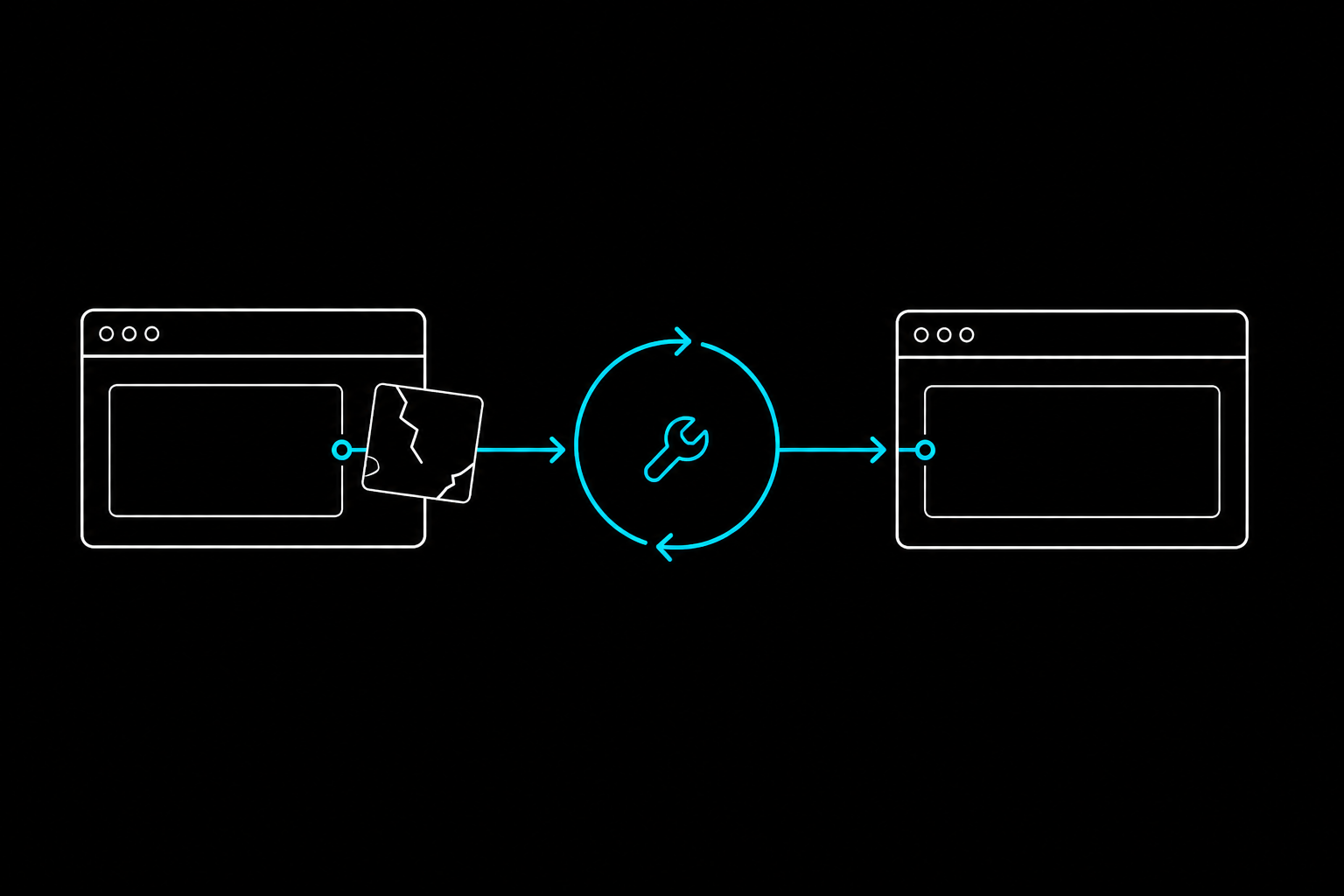
Browser automation is cheap to write and expensive to keep alive. You ship the perfect Playwright or Puppeteer script, it runs for three weeks, then a small redesign renames a class and every selector breaks at once.
Self-healing automation fixes that repair step. With an AI agent and a runtime like Webcmd, a broken workflow gets diagnosed and patched by the agent instead of by you. Here is how the loop works, step by step.
Self-healing browser automation is when an AI agent detects that a workflow broke, re-explores the changed website, and repairs the underlying code itself, while keeping the command's output identical so nothing downstream notices.
TL;DR
- Wrap the workflow in a Webcmd command so it has a stable name and a fixed output shape.
- Structured JSON output makes a failure obvious: an error, or empty rows where there should be data.
- You send a plain-language healing prompt instead of opening a code editor.
- The agent traces the failure, explores the new site, patches the adapter, and verifies the output contract is unchanged.
- Downstream tools keep working because the JSON fields never move.
Step 1: Wrap the workflow in a Webcmd command
Self-healing starts with the unit of work being a command, not a script. In Webcmd, an agent authors a workflow once and exposes it as a CLI command like webcmd acme invoices, backed by an adapter (the code that actually drives the site or API).
That framing is what makes healing possible. A script is a pile of selectors with no promise attached. A command has a name and a declared output shape, so when it breaks, there is a clear thing to repair and a clear definition of "fixed."
Step 2: Detect the failure
Because Webcmd commands return structured JSON, failures are deterministic rather than mysterious. A broken command shows up in one of two ways: it throws a direct error, or it silently returns empty rows when it should have returned data.
That second case is the one that quietly poisons pipelines in hand-written automation, where a blank dashboard can go unnoticed for days. A fixed output contract turns "why is this table empty" into "this command returned zero rows, and it shouldn't have."
Step 3: Trigger the healing prompt
Instead of opening your editor, you describe the failure to your AI agent and tell it to fix the command while preserving the output schema:
The command `webcmd acme invoices` used to work but now returns empty rows. Diagnose it, repair the adapter, run verification, and explain what changed. Preserve the output schema.
If the break involves authentication or a deeper UI change, point the agent at Webcmd's tracing and browser tooling:
This adapter fails after login. Use Webcmd trace and browser tooling to find whether the site changed selectors, API fields, or auth behavior. Patch the adapter and keep the output schema unchanged.
Step 4: How Webcmd repairs the command
Once prompted, the agent uses Webcmd's built-in tooling to repair the workflow:
- Tracing. The agent reviews Webcmd traces to see exactly where the browser state or network requests deviated from previous successful runs.
- Exploration. It navigates the updated website in a live browser session to learn the new DOM structure or the new API response shape.
- Patching. It rewrites the underlying adapter (the code powering the
webcmdcommand) to use the new selectors or logic. - Contract verification. The most important step: the agent confirms that despite the internal changes, the output JSON schema is still exactly the same.
Step 5: Lock the output contract
Self-healing only works if fixing the automation does not break everything built on top of it. If an agent repairs a command but renames invoice_id to id, every downstream tool crashes, and you have traded one broken thing for another.
Webcmd treats the output schema as a strict contract. When an agent heals an adapter, it has to map the newly discovered data back into the original field names, so the fix is invisible to everything downstream. This is the real distinction worth understanding: plenty of tools now heal at runtime, but healing behind a frozen contract is what lets you depend on the command like infrastructure rather than re-checking it after every fix.
FAQ
What is self-healing browser automation?
It is automation that repairs itself when a website changes. An AI agent notices the workflow failed, explores the updated site, and patches the code, without a developer manually rewriting selectors, while keeping the output the same.
Does self-healing work behind logins?
Yes. When a command uses an authenticated session through a named profile, the agent can trace an after-login failure, detect whether selectors, API fields, or the auth flow changed, and patch the adapter, without credentials living in the command itself.
How is Webcmd's self-healing different from Stagehand or Browser Use? Stagehand and Browser Use heal at runtime: they resolve instructions like "click the submit button" live on each run, which survives many page changes. Webcmd's angle is different. It compiles the workflow into a command with a fixed output contract and heals by re-authoring that command, so the JSON shape other tools depend on is guaranteed to stay put. Runtime resilience and a stable contract are complementary goals, not the same one.
What happens if the website changes completely?
If the data you asked for still exists somewhere on the new site, the agent re-explores and remaps it to the same fields. If the data is genuinely gone, no heal can invent it, and you decide whether to change the contract on purpose as an explicit breaking change rather than a silent one.
Do CSS-in-JS and Tailwind class changes break this? They break traditional selector-based scripts constantly, since Tailwind and CSS-in-JS regenerate class names on build. A healing loop absorbs that: the agent re-derives how to reach the data and patches the adapter, leaving the output identical.
What self-healing buys you
The old model had developers babysitting brittle scrapers until either they or the website gave out. Pairing an AI agent with a structured runtime like Webcmd moves browser automation closer to resilient infrastructure: when the web changes, the agent adapts, heals the command, and keeps your data flowing, without touching the contract the rest of your stack relies on.
If you want to see the loop end to end, the Webcmd quickstart walks through authoring a command and healing it after a change.