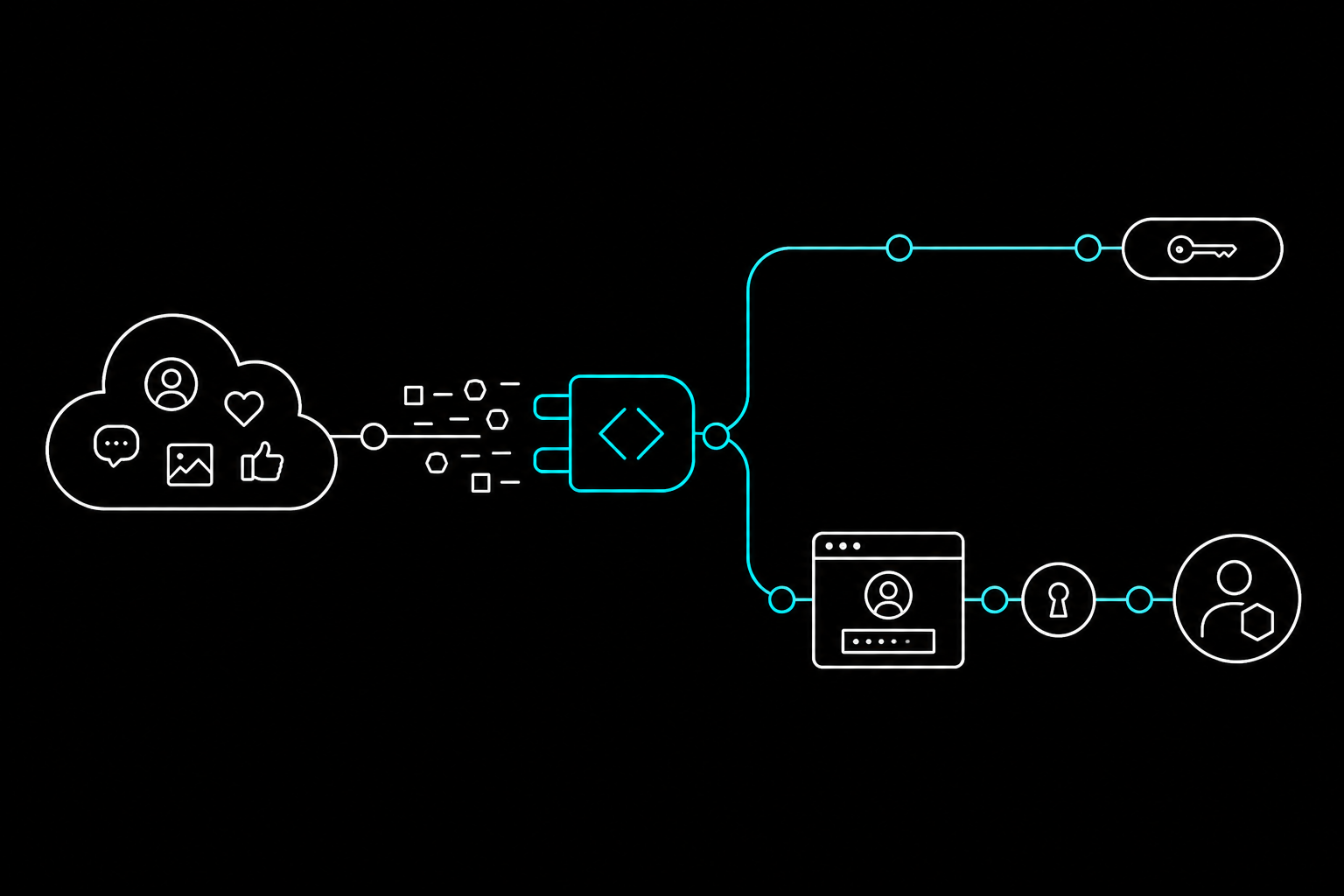
In late June 2026, X shipped an official hosted MCP server. That means Claude Code can now query the X API directly (full-archive search, trends, news, bookmarks) with structured tools instead of copy-pasted screenshots.
This guide connects the two, step by step.
What You'll Need
- Claude Code installed, with a terminal open.
- An X Developer account with an app registered at developer.x.com. Free-tier apps exist, but reads (search, trends, news) require a paid, production-enabled package. The free tier is write-only.
- Node.js installed, so
npxworks. Nothing else to install locally.
Step 1: Choose Your Connection Route
X's hosted MCP server supports two connection methods. Pick based on what your researcher needs to do, not just what's easier. They unlock genuinely different capabilities.
| Simple route | Full route | |
|---|---|---|
| Auth | Static Bearer token | OAuth 2.0 (browser login once) |
| Setup | One command, no login | One command + one-time browser login |
| Can read | Public posts, search, trends, news | Everything Simple can, plus your own mentions/timeline |
| Can write | No | Yes (bookmarks, draft Articles) |
| Acts as you | No | Yes |
If your researcher only reads and reports (sentiment checks, trend watching, competitor monitoring), use the Simple route and skip straight to Step 2A. It's less setup and nothing to secure beyond one token.
If it also needs to bookmark posts, draft Articles, or read your own mentions, use the Full route in Step 2B instead.
Step 2A: Simple Route (Read-Only, No Login)
2A.1: Get an App-only Bearer token
In the X Developer Portal, open your app's Keys and tokens page and copy the App-only Bearer token.
2A.2: Connect it to Claude Code
claude mcp add --transport http x-mcp https://api.x.com/mcp \
  --header "Authorization: Bearer YOUR_APP_ONLY_BEARER_TOKEN"
That's the whole setup for this route. No browser flow, no local process to manage.
2A.3: Verify
claude mcp list
You should see x-mcp listed as connected. Skip to Step 3.
Step 2B: Full Route (OAuth Bridge)
2B.1: Register an OAuth app
In the X Developer Portal, create (or edit) an app with OAuth 2.0 enabled. Set its redirect URI to:
http://localhost:8080/callback
That's the default the bridge expects. If you need a different port, you can override it later with a REDIRECT_URI environment variable, just make sure it matches whatever you register here.
Copy your CLIENT_ID and CLIENT_SECRET from the app settings.
2B.2: Connect it to Claude Code
claude mcp add \
  --env CLIENT_ID=YOUR_X_APP_CLIENT_ID \
  --env CLIENT_SECRET=YOUR_X_APP_CLIENT_SECRET \
  --transport stdio x-mcp \
  -- npx -y @xdevplatform/xurl mcp https://api.x.com/mcp
Two details that are easy to get wrong here:
- The package is
@xdevplatform/xurl, not barexurl. A plainnpx xurlwill silently install a different, unrelated package. - Order matters. Claude Code reads whatever comes right after
--envas anotherKEY=valuepair. Keep--transport stdio x-mcpbetween your last--envflag and the--, exactly as shown above. Otherwise the CLI tries to parsex-mcpas an environment variable and rejects it.
2B.3: Complete the one-time login
The first time a tool from x-mcp actually gets called, your browser will open automatically for an X login. Complete it once. After that, the bridge caches the token to ~/.xurl and refreshes it automatically. You won't see this again.
If the connection times out before the browser finishes loading: re-run with a longer wait:
MCP_TIMEOUT=60000 claude
This is a one-time issue. Once the token is cached, reconnects are instant.
This login is handled entirely by the local xurl process, separately from Claude Code's own /mcp OAuth flow. You won't see a Claude Code login prompt for this route.
2B.4: Verify
claude mcp list
claude mcp get x-mcp
Both should show x-mcp connected with no pending authentication.
Step 3: Confirm It's Working
Inside a Claude Code session, run:
/mcp
You should see x-mcp in the list with its available tools. If it shows as needing authentication, that's the Full route's browser step waiting on you. Go complete it.
Step 4: Put It to Work
Once connected, talk to it like a researcher, not an API. A few starting points:
Search X for the last week of posts mentioning our product launch.
Summarize the overall sentiment and pull out the three most-repeated complaints.
What's trending on X right now for [location], and which of these
overlap with topics our competitors have posted about this month?
Pull the recent news stories related to [industry], then draft a
one-paragraph briefing I can send to the team.
One thing worth knowing: X's MCP tools return raw data: posts, trend lists, news items. They don't run sentiment analysis themselves. That step happens because Claude reads what comes back and reasons about it, the same way it reasons about anything else you hand it. That means the analysis adapts to your actual question instead of spitting out a canned score.
Step 5 (Optional): Add the Docs Server Too
X also hosts a separate, unauthenticated MCP server for its own API documentation. Handy if you want Claude to check endpoint details while it works instead of guessing. Add it directly to your .mcp.json:
{
  "mcpServers": {
    "x-docs": { "url": "https://docs.x.com/mcp" }
  }
}
No login, no token. It's read-only documentation search.
Troubleshooting
| Symptom | Likely cause | Fix |
|---|---|---|
| Server won't connect at all | Wrong package name | Confirm you used @xdevplatform/xurl, not xurl |
| CLI rejects the server name as invalid | --env flag placement | Put --transport stdio x-mcp between the last --env and -- |
| Times out on first connect (Full route) | Waiting on browser login | Retry with MCP_TIMEOUT=60000 claude |
| client-not-enrolled-style error | App isn't in a paid, production package | Check your app's package/environment in the Developer Portal |
| Reads return nothing / 403s | Free-tier app | Free tier is write-only; reads need a paid package |
| Frequent 429s on writes | Rate limits | Writes (bookmarks, Article publishing) are rate-limited harder than reads. Back off and retry |
Security Note
The Full route's cached token lives in ~/.xurl. Treat it like a password: never paste it into a chat, a log, or a commit. If you ever suspect it's been exposed, revoke the app's credentials in the Developer Portal and re-run the login.
Quick Reference
# Simple route: read-only, no login
claude mcp add --transport http x-mcp https://api.x.com/mcp \
  --header "Authorization: Bearer YOUR_APP_ONLY_BEARER_TOKEN"

# Full route: OAuth bridge, one-time browser login
claude mcp add \
  --env CLIENT_ID=YOUR_X_APP_CLIENT_ID \
  --env CLIENT_SECRET=YOUR_X_APP_CLIENT_SECRET \
  --transport stdio x-mcp \
  -- npx -y @xdevplatform/xurl mcp https://api.x.com/mcp

# Verify
claude mcp list
claude mcp get x-mcp
That's the full setup. Start with the Simple route if you're building a listening post. You can add the OAuth bridge later, the day your researcher needs to start acting on what it finds instead of just reporting it.